
Singapore Views
Singapore Views is software for making interactive presentations using multiple geo-data of Singapore and multimedia elements (pictures, videos, and 3D models) for researchers and designers in urban planning. The presentations made with Singapore Views help the audience to understand the context better and give a more immersive and dynamic experience than static presentations. I developed the concept and designed the UX/UI for the initial prototypes.
team
Shiho Asada | Creative direction/UX UI design
Jan Perhac | Software development
Remo Burkhard | Concept direction
Simon Schubiger | Software development
data
Urban Heat Island Effect | Singapore-ETH Centre
Green Buildings | Future Cities Laboratory
challenge
Developing a visually oriented presentation tool for megapixel displays
The project started by thinking about utilising a large videowall at Future Cities Laboratory, a Singapore-based Swiss research institution that focuses on urban design. The video wall consists of 16 units of 55" displays in a 4×4 grid, resulting in a 33-megapixel display. It's approximately 4.9m wide and 2.7m high. Even though it's a pretty high-spec display, it had until then been used only for standard slide presentations.
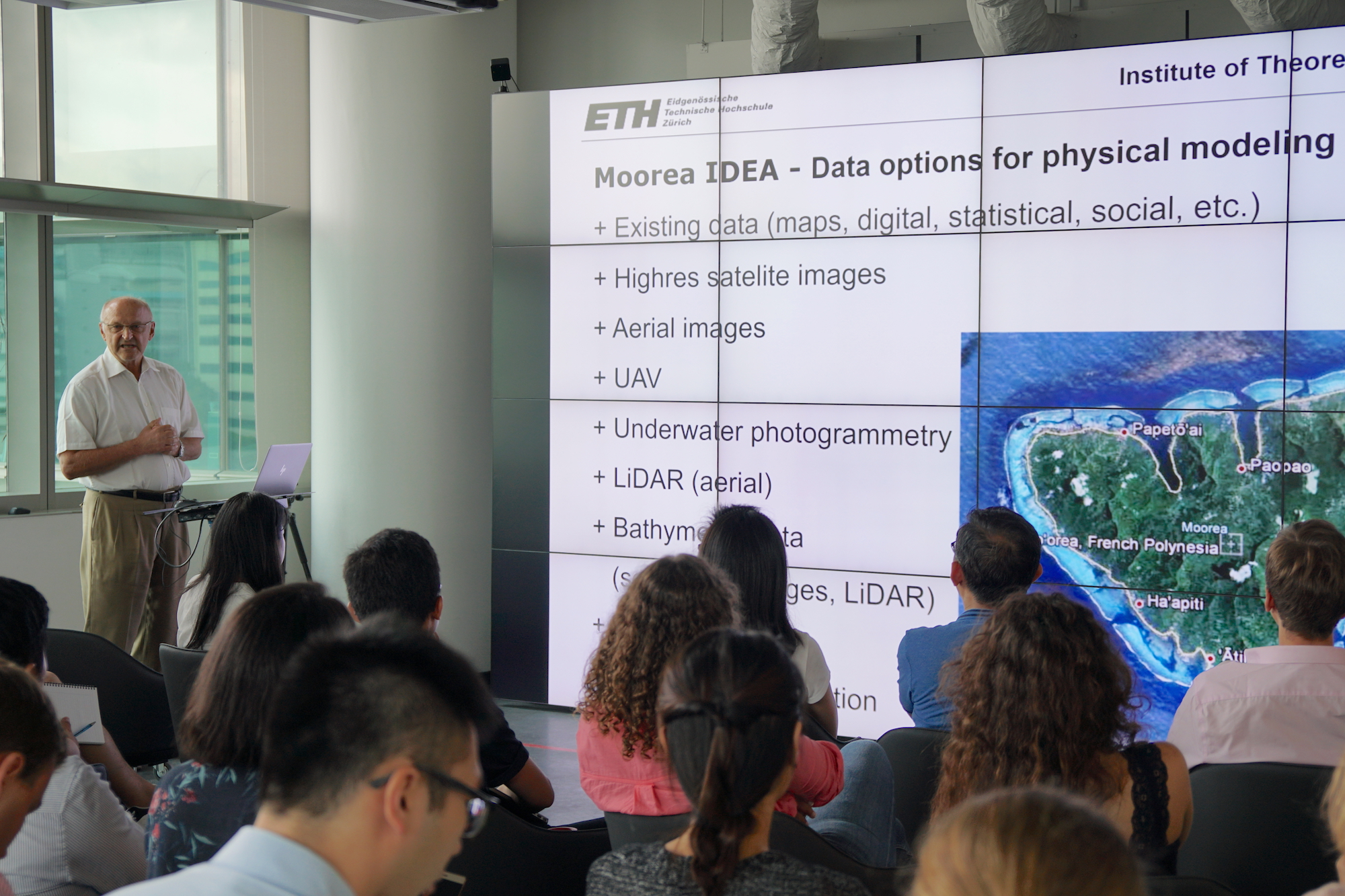
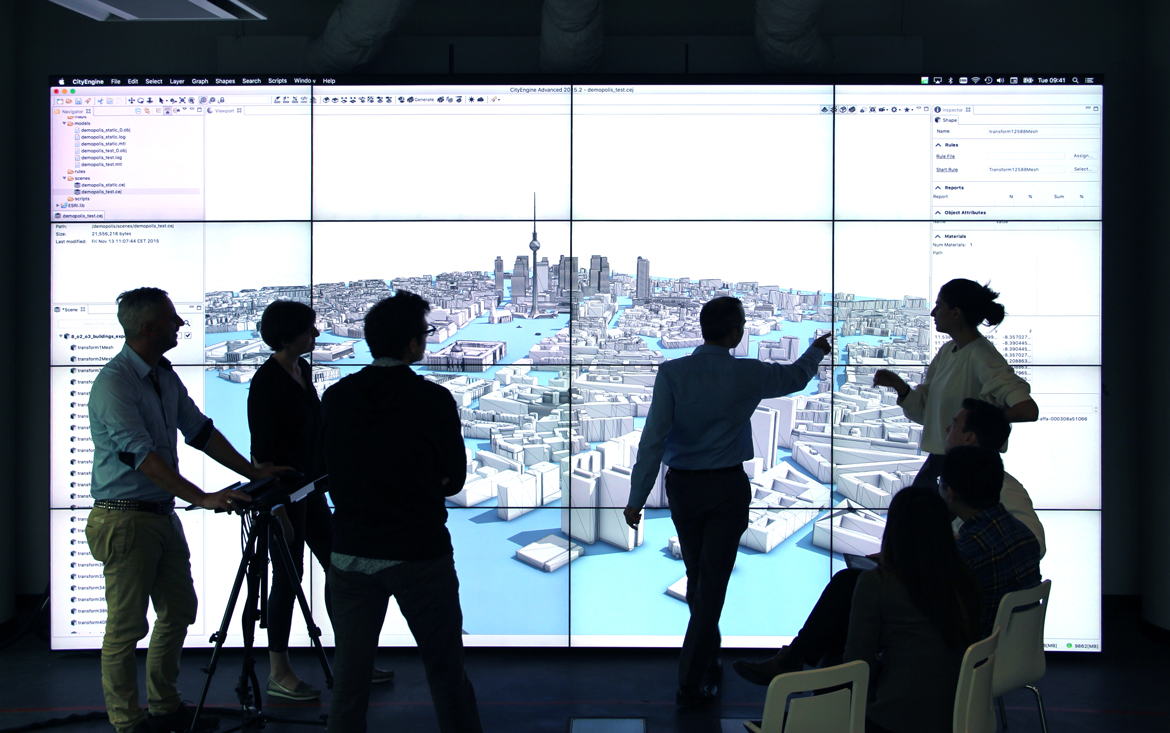
The previous uses of the video wall: The first picture was with PowerPoint, the second one was with ArcGIS CityEngine. The displays frames distracted the presentations.
Designing with multiple data and media
The most challenging part was figuring out how to visualise multiple geo-data and show multimedia content simultaneously. The datasets are, for example:
- Singapore Master Plan 2014
- Temperature data of the urban heat island effect in Singapore
- Locations of selected green buildings in Singapore
Multimedia content includes:
- 3D models of buildings
- Pictures
- Videos
goals & users
Integrating multiple data for urban designers and researchers
The followings are the goals of the project:
- Creating a user-friendly and visually oriented presentation tool for researchers and designers in urban planning
- Integrating several geo-data and multimedia content in one application to fully showcase research outcomes
- Giving the audience a clear understanding of city design and urban research in Singapore
- Providing a seamless and immersive presentation experience to the audience.
The target users of Singapore Views are mainly researchers and designers working on urban planning, big data and civil engineering. The user persona was made based on the profiles of the researchers and designers working at Future Cities Laboratory and their needs for presentation tools.
DESIGN PROCESS
Two modes of the product
I considered that the Singapore Views tool would be used in two distinct modes:
- Presentation mode — When a user gives a presentation with the tool
- Edit mode — When a user creates his/her presentation with the tool
I started by designing UX/UI for the Presentation mode, then continued with the Edit mode.
PHASE 1, PRESENTATION MODE
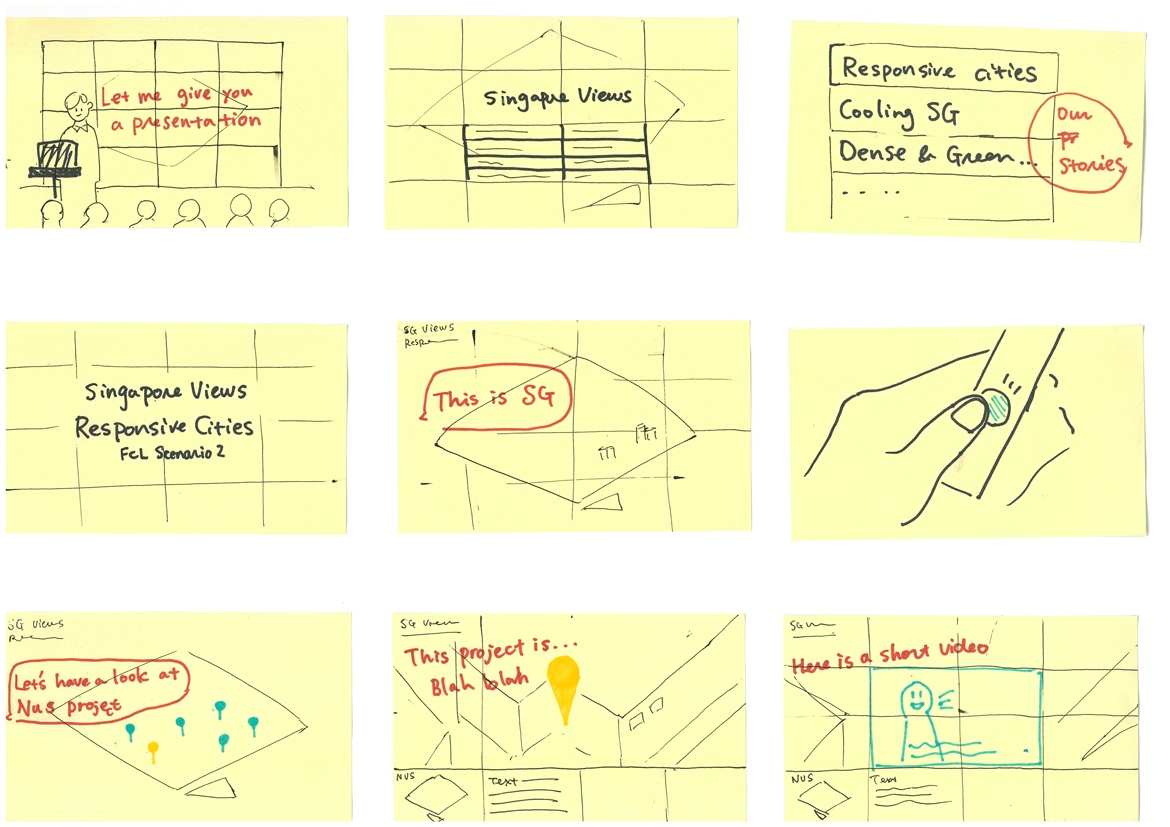
Storyboarding
I made a storyboard to express physical interaction between a presenter (e.g. researchers, designers in urban planning) and Singapore Views. Considering how multiple presentation contents can be shown together on the screen was a challenge.
visual design
User interface
Regarding the colour, I employed a greyish-blue colour scheme considering the colour temperature of the displays.
The UI mainly consists of the following three components:
- 3D map view of Singapore, presenting the spatial information of the built environments and dynamic geo-data
- UI panels, complementing the 3D map
- Logo and project title
I designed the UI panels to fit the gridded 16:9 screen format of the video wall. The areas of the 3D map covered by the UI panels are blurred out.
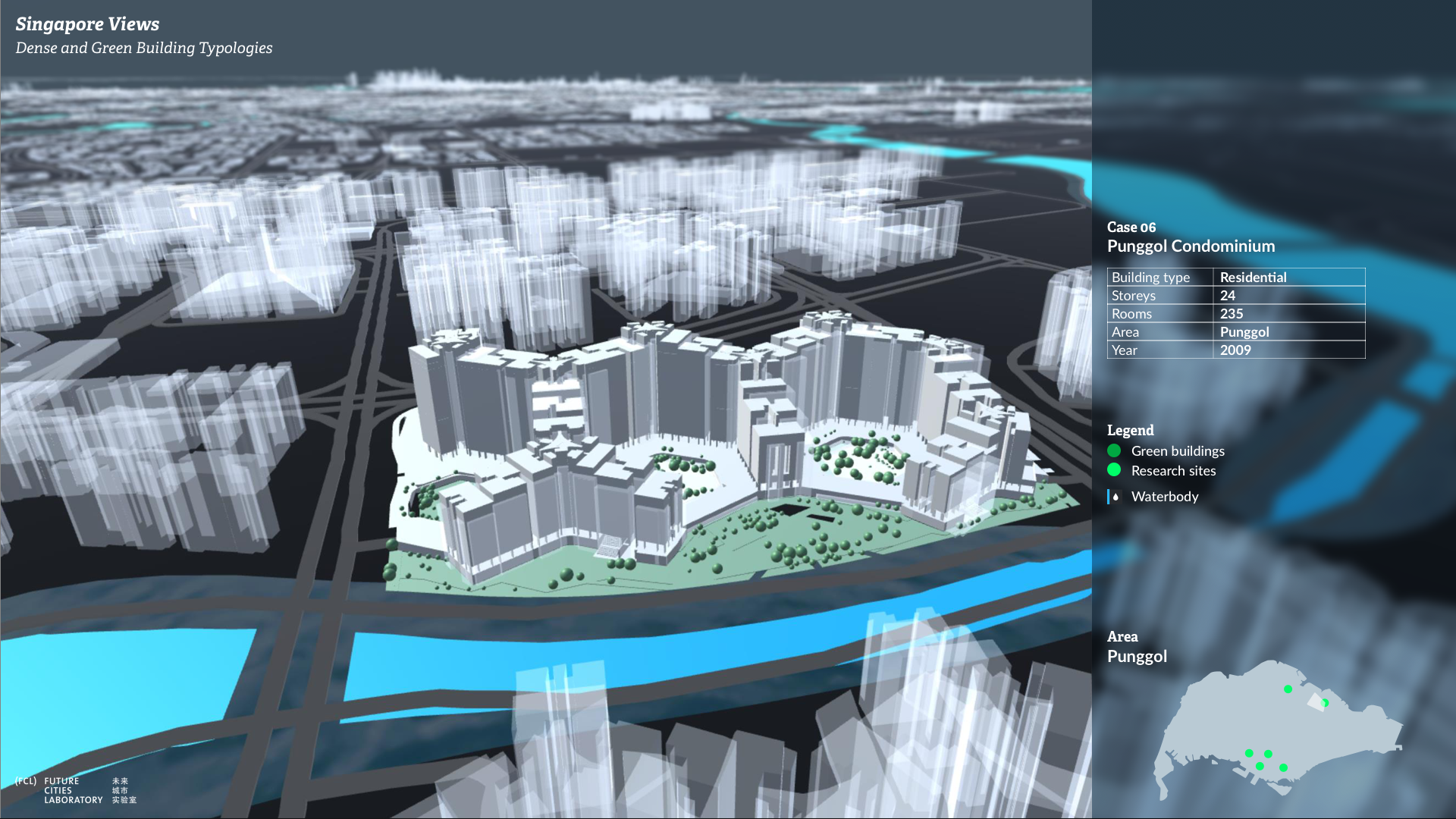
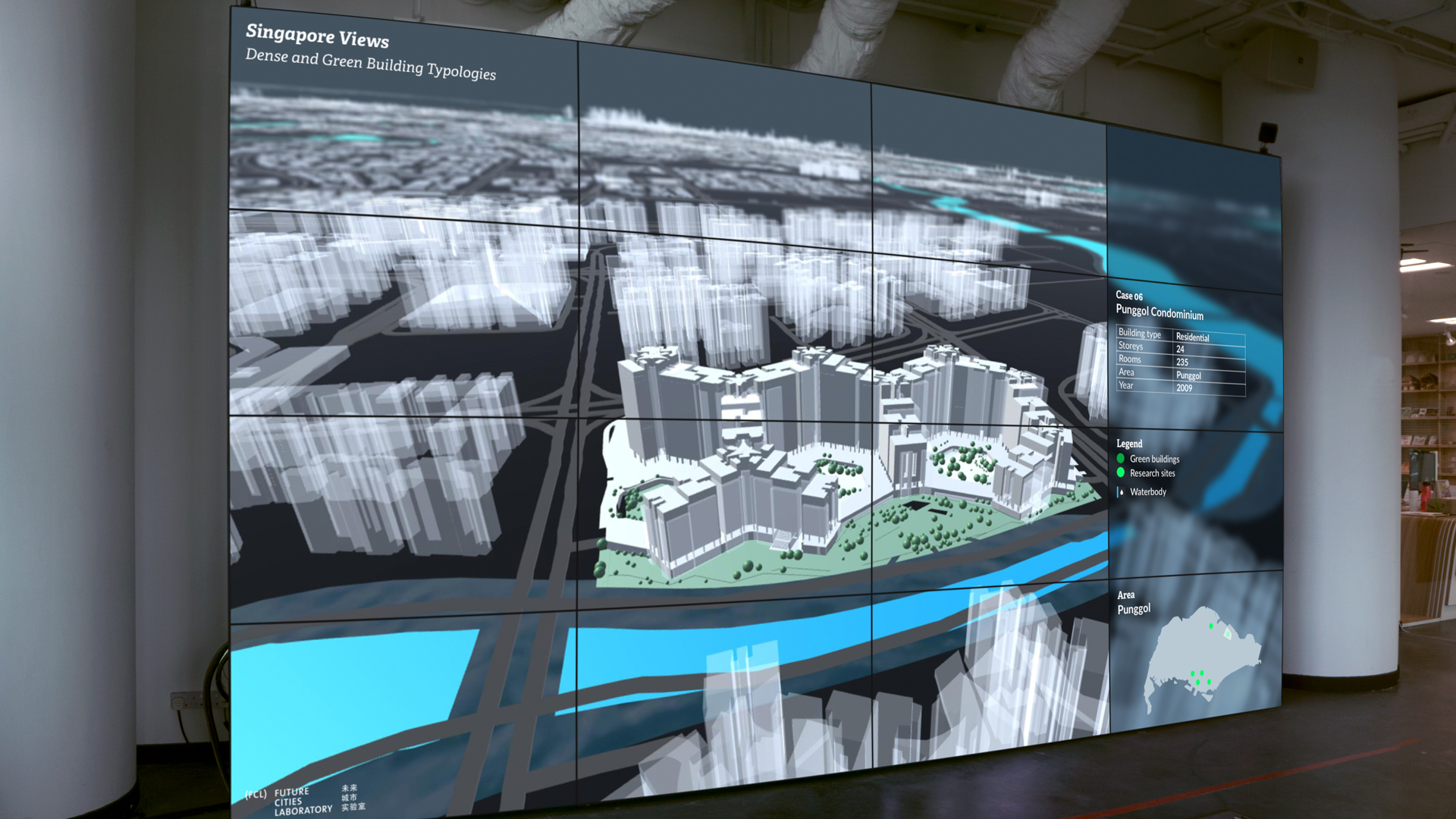
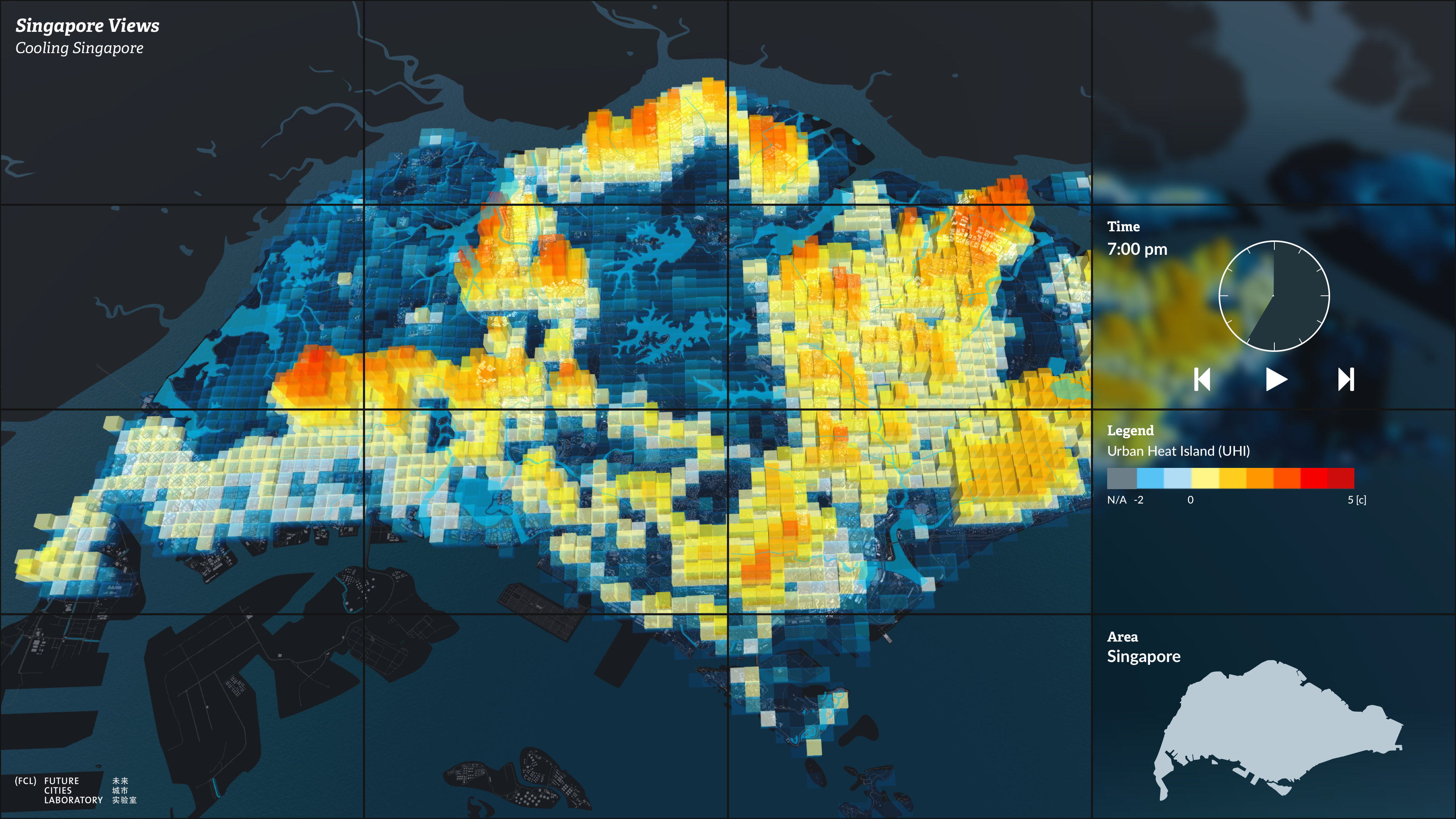
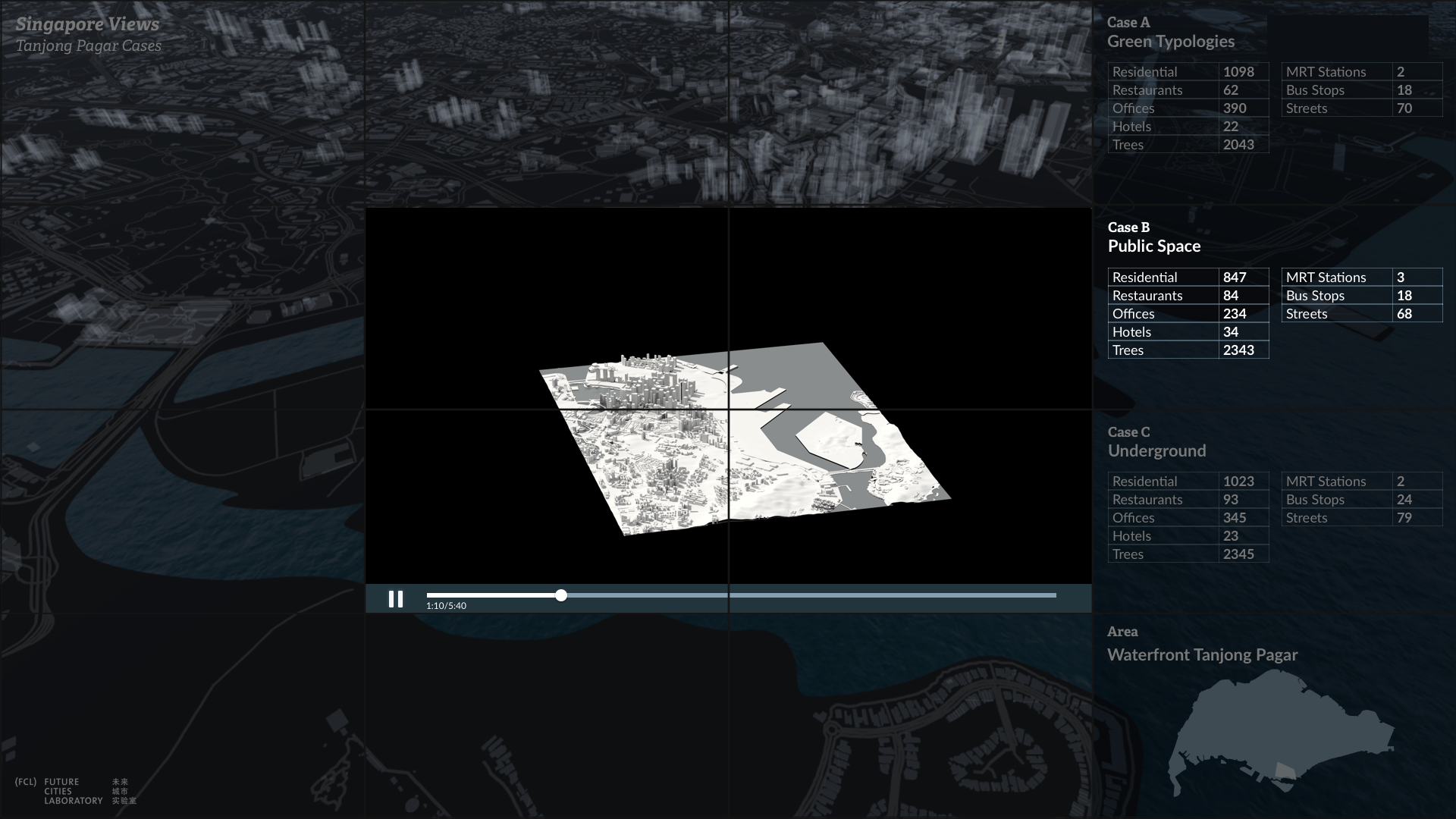
The UI panels show detailed information of the model, legend, time slider and/or an overall map of Singapore, depending on the 3D map views.
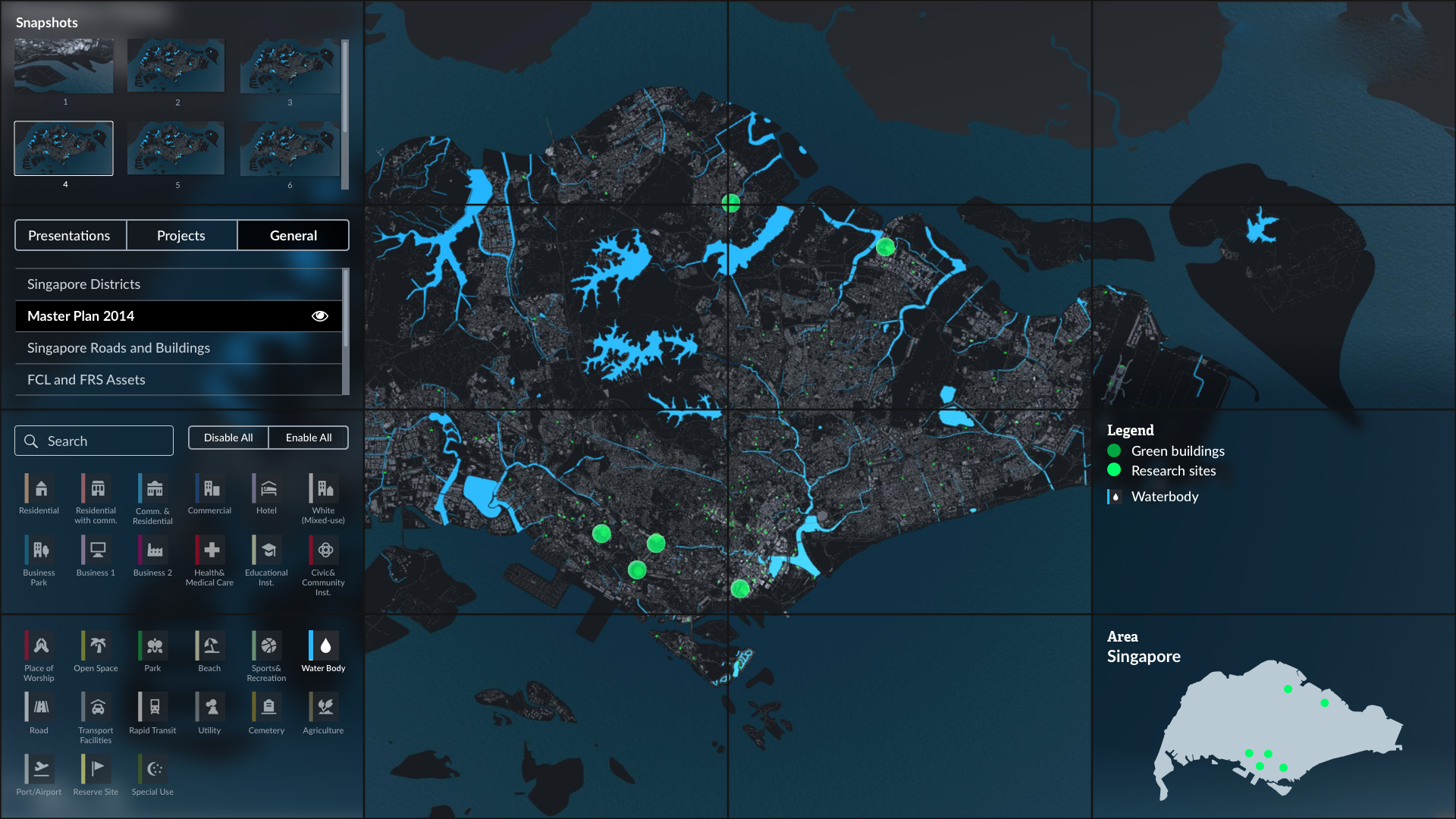
While giving a presentation, a presenter can review previous snapshots and layers from the hidden UI panels on the left side. The panels can be pulled out when the mouse goes to the top-left corner.
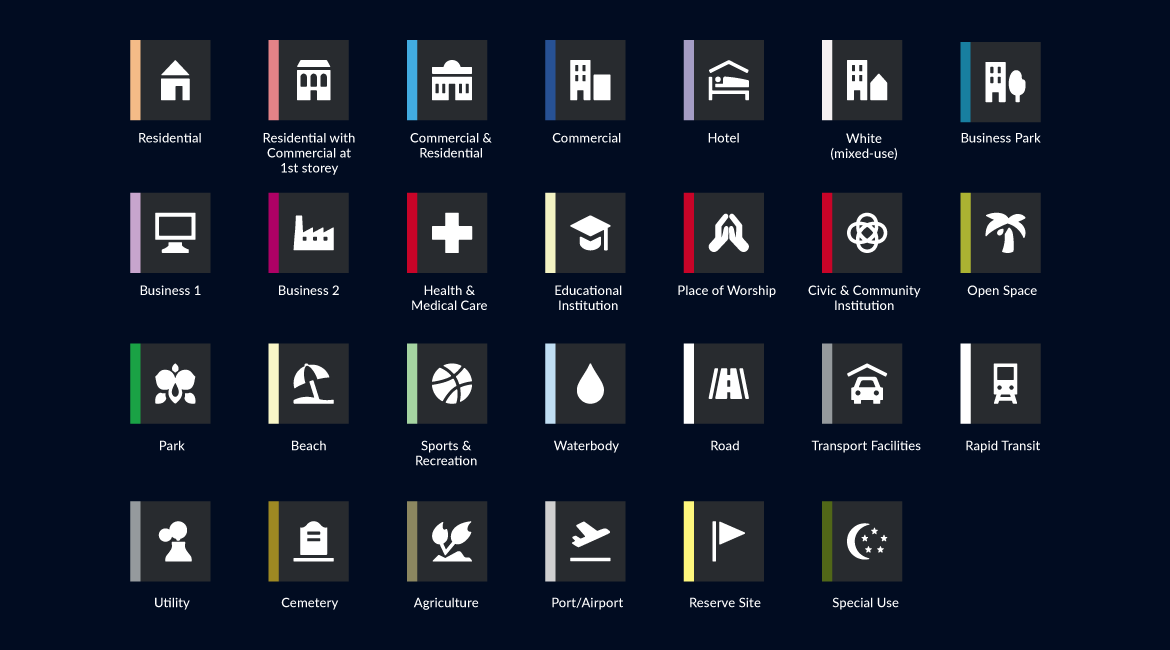
Icons for Singapore master plan data
There are 18 types of areas for the Singapore Master Plan. Those icons are used as both buttons and legends.
PHASE 2, EDIT MODE
Defining the functions
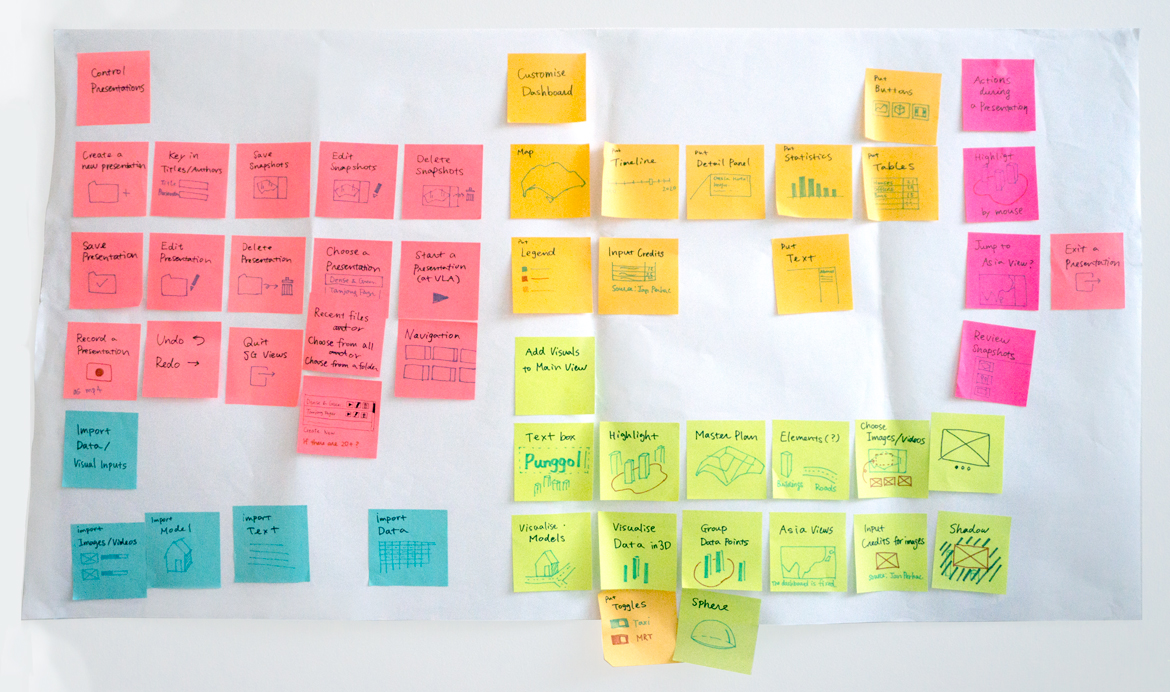
Firstly, we defined the functions for the Edit mode and grouped them into 5 categories based on the users' actions which need to create presentations:
- Controlling presentations
- Importing data and visual input
- Customising the UI Panels
- Adding visualisation and multimedia contents to the 3D view
- Actions during presentations.
Based on those categories, I made a visual map by using illustrations and 5 colours.
ui design
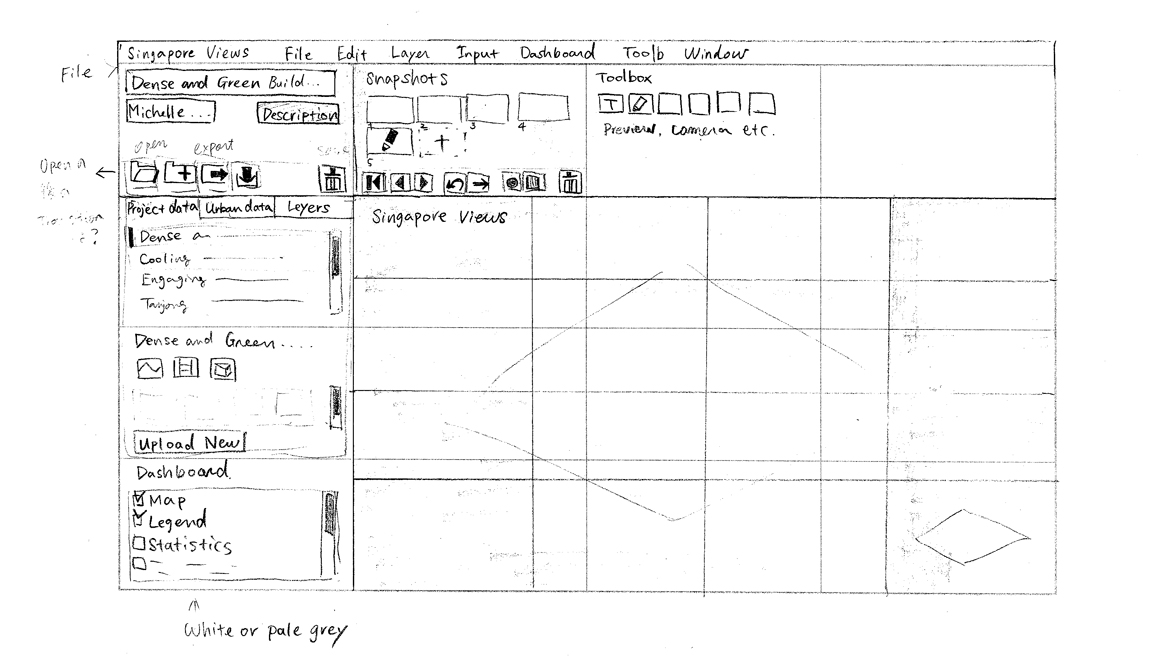
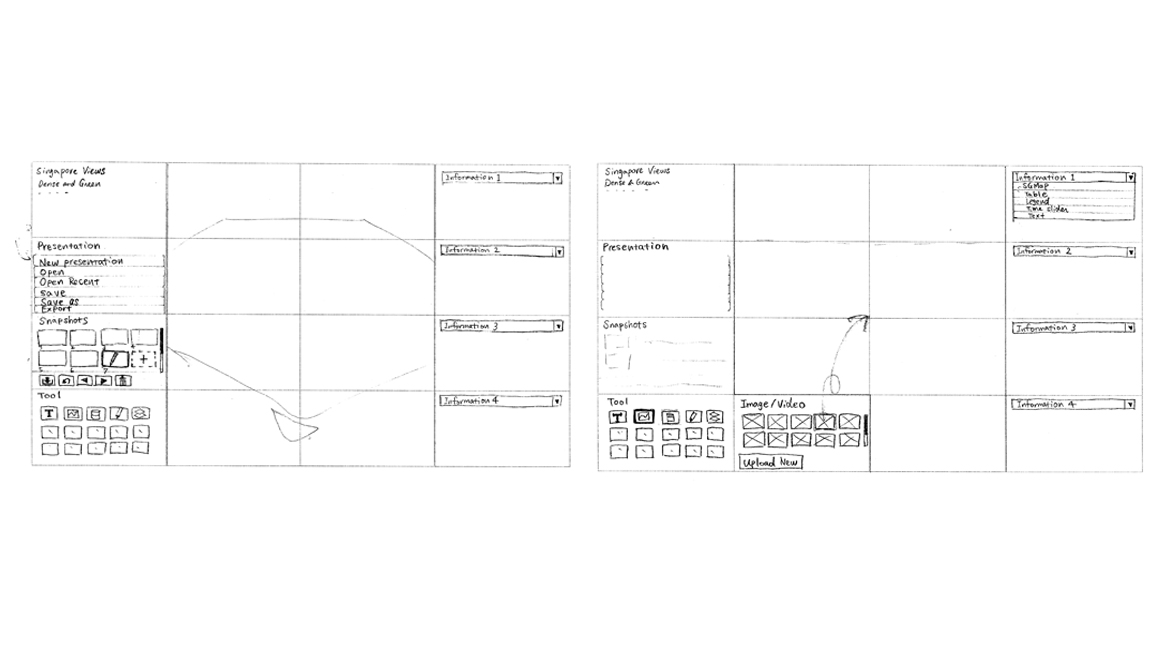
Sketching
Mockups
The left panel consists of:
- Presentations—Viewing the existing presentations and creating new ones
- Projects—Data and multimedia content related to each project
- General—Data and multimedia content related to Singapore data (Master Plan, infrastructures etc.)
The top panel is for saving and showing snapshots.
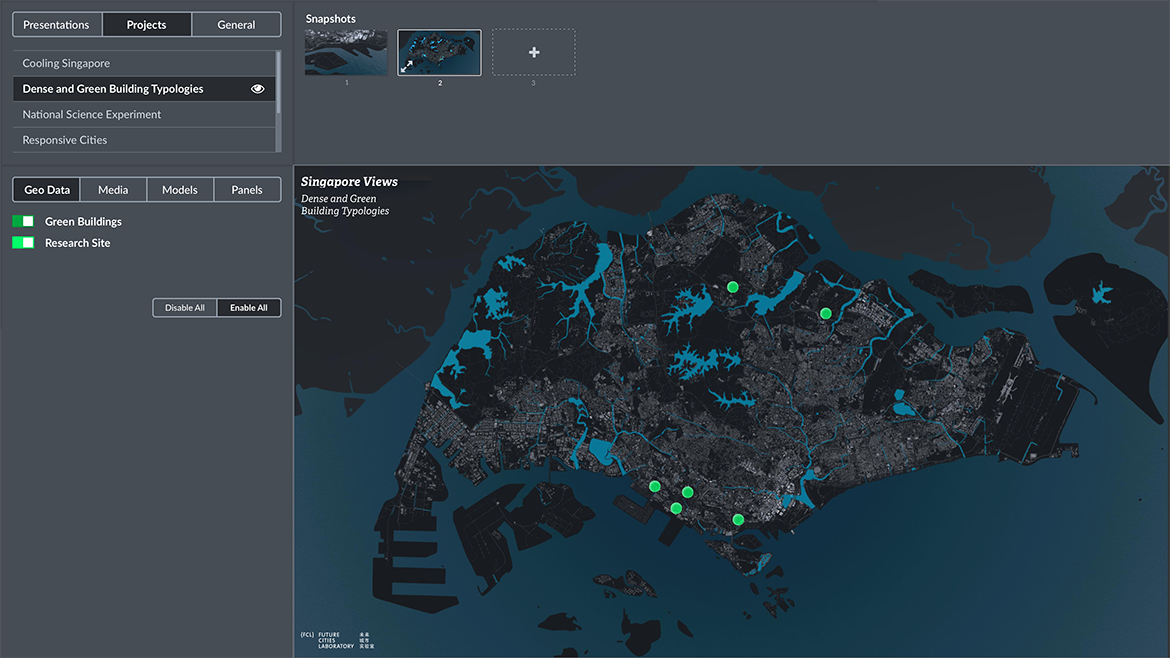
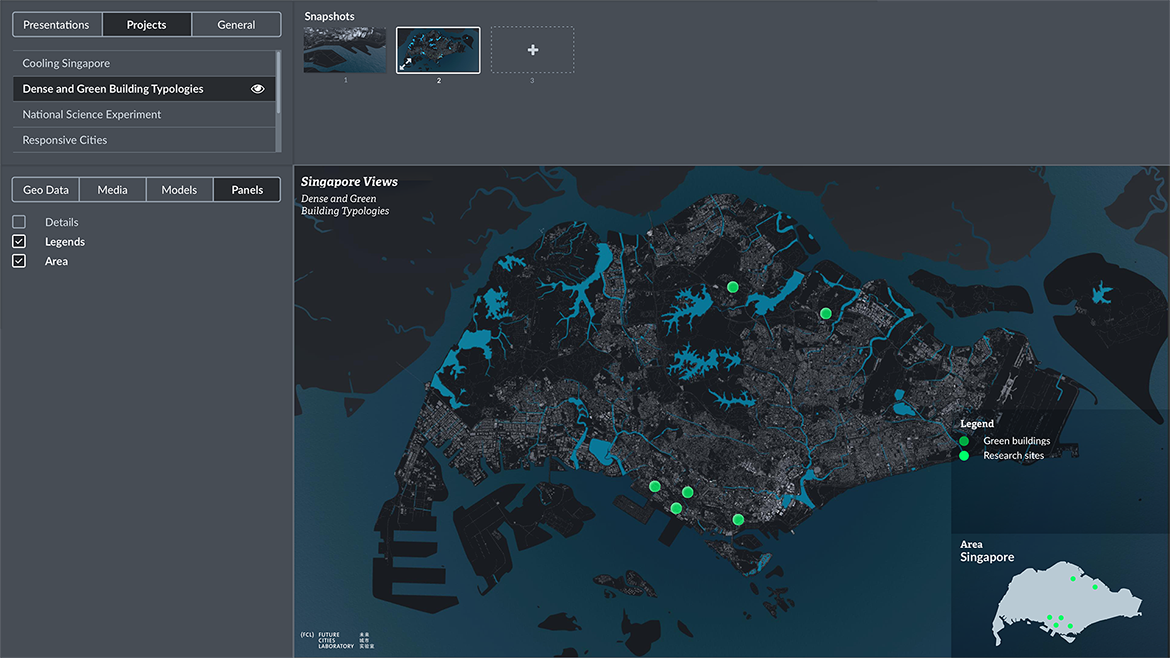
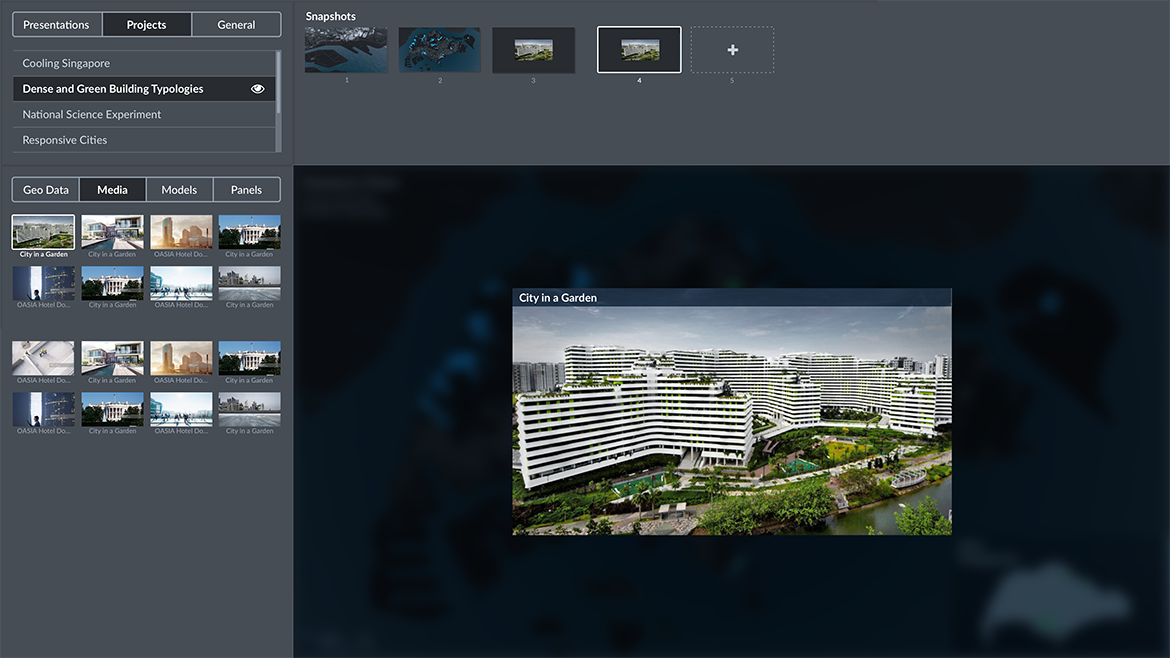
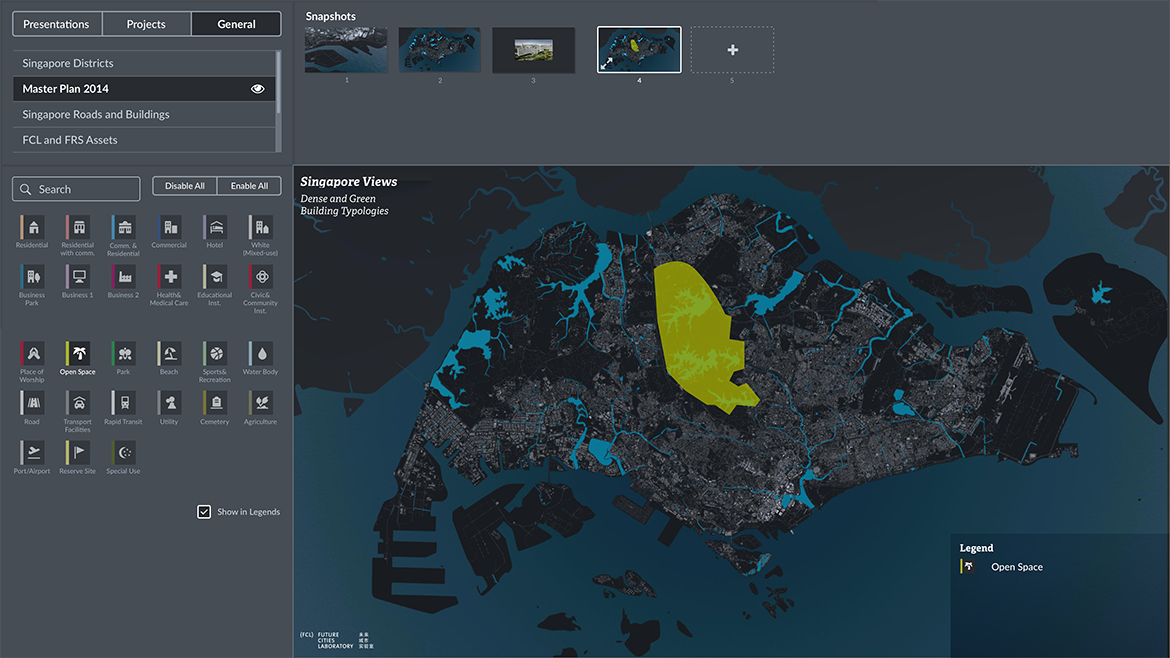
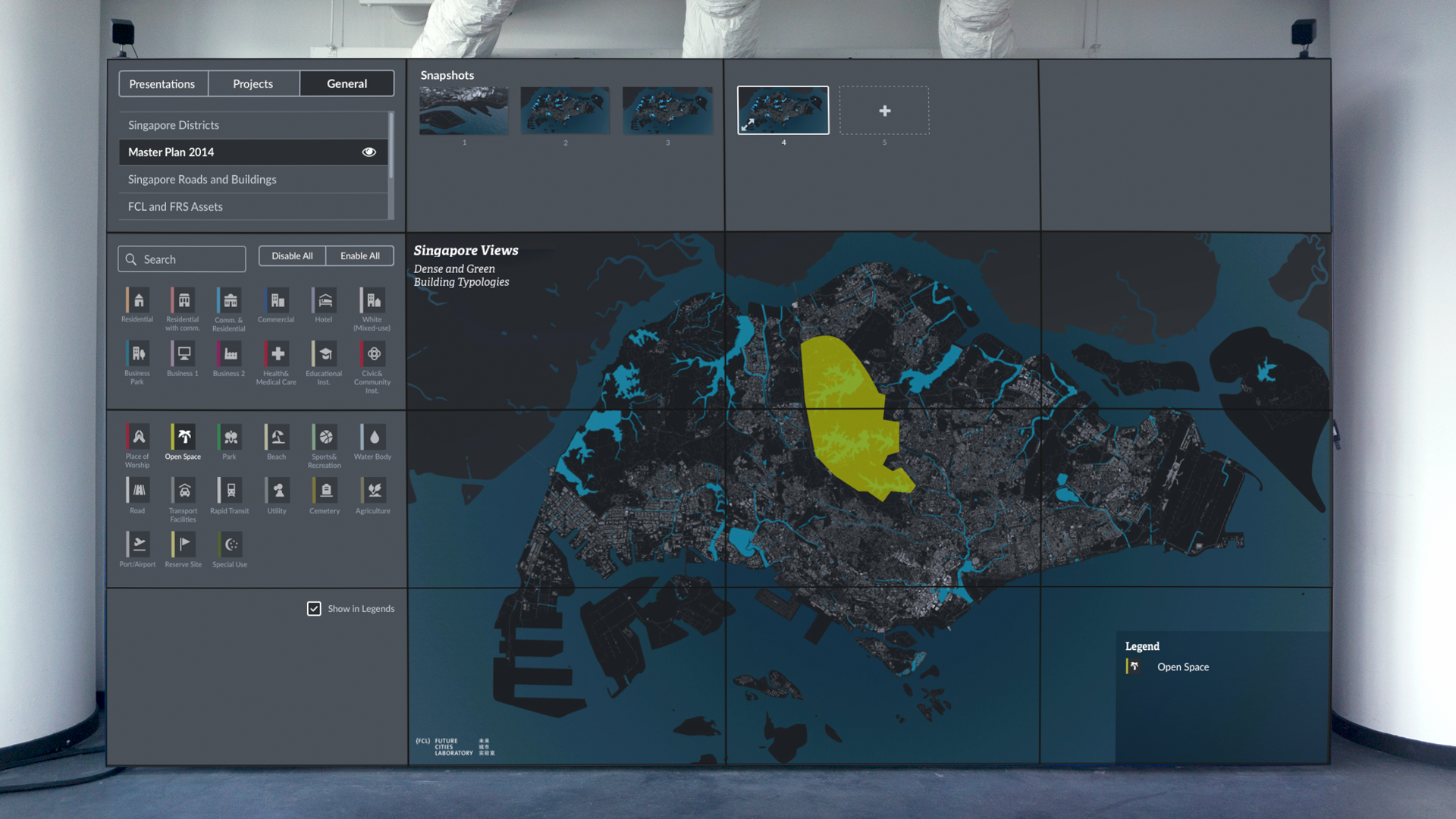
The Edit mode can be used with desktop and laptop PC, and it is also designed to fit the video wall the same as it will do in the Presentation mode.
interaction
Interactive prototype
By using InVision, I made an interactive mockup for showing how a user can make a presentation with Singapore Views. This prototype was shared with the team and is being implemented.
impact
Research impact and continuous development
Singapore Views and its development and design methods and processes were published as an academic paper. I had an opportunity to present it at the 22nd International Conference Information Visualisation Conference in Italy 2018. After my involvement, the product has been continuously developed by the researchers at Singapore-ETH Centre and used for multiple projects with different datasets by the Singapore Authorities and international academic institutions.
Get in touch if you're interested in working together, want to grab a coffee!
© 2026 Shiho Asada
